Why Design Matters
Flyers, ads, social media posts, etc.

It’s that time of year folks are gearing up for the winter season in Quartzsite! Organizers, planners, business owners, and non-profit volunteers are thinking how to distribute information for all their events and happenings.
I wanted to have a class on flyer design, because I’ve seen so many ugly flyers over the years, but I just ran out of energy. So, I put together some of my favorite design tips.
What makes a design ugly?
Let’s start with a lack of clarity, poor organization, and distracting elements that make it difficult for the reader to understand the message.
We’ve all seen them: Cluttered layouts, too many fonts or colors, having no focus (lack of visual hierarchy) or even a too many small photos scattered about.
Here’s an example which has been shared on blogs for years.
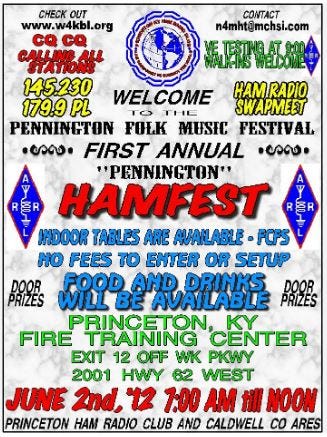
Why? Well, it’s exhausting to read! It’s just plain hard to figure out what is happening at first glance. There are so many colors that your eyes hurt, and your brain gets confused. Too many fonts are used and then there’s all those UPPER-CASE LETTERS! This is just a poorly designed flyer. The choice of colors is questionable, too. The bright red and yellow are hard on the eyes and do not go well with the blue and green. Text Shadows and Outlines should be limited with more space between the lines.
Okay, we know what NOT to do… So, now what?
When I first began working at Miracle Miles free paper in Gilroy, CA back in the 80’s, I basically started selling ads but had no idea how to design them. I scrutinized ads anywhere I could find them; magazines, newspapers, flyers, and paid close attention to my coworkers’ designs. But when I started working at Ashland Daily Tidings in 1992, I received the most wonderful training from my managers and team. Their expertise was priceless. And even my clients taught me a thing or two over the years.
Design matters
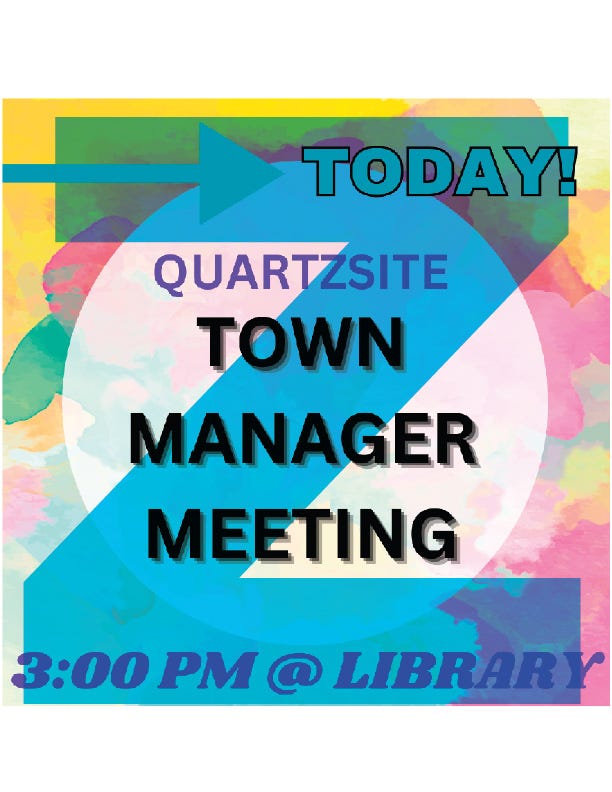
My favorite layout design is the Z-Pattern Layout because it mimics how people scan and process information. We read top left to top right, then diagonally down to bottom left, and finally to the bottom right.
So, I like placing crucial information like logo, brand name, main offer, and the call to action strategically along this path to guide the reader's eye effectively.
Here’s a simple example of Z-Pattern Design:
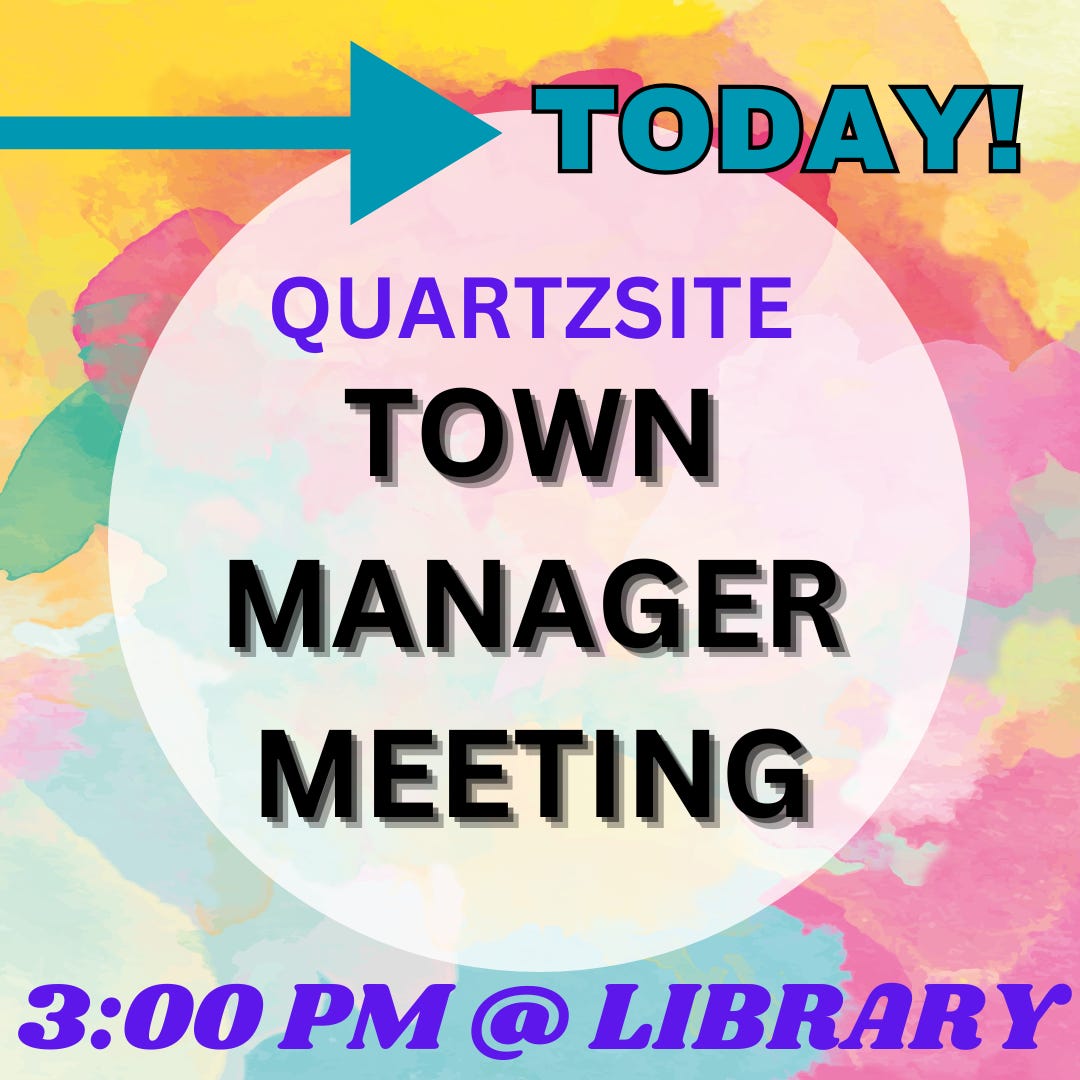
Notice how the eye naturally starts with the arrow in upper left corner, travels down to the middle, and ends at the location. If you look at many of the ads in Desert Messenger, you’ll often find phone number, website, and location in the lower right corner. The Z-Pattern design works very well for flyers, posters and even web design. And it’s easy to remember.
White Space is Your Friend!
One of the first design tools I learned was “White Space is your Friend.” White Space or Negative Space refers to the areas around and between the elements of a design, such as text, images, and other visual components.
In other words, don’t squish everything together and watch out for that clutter.
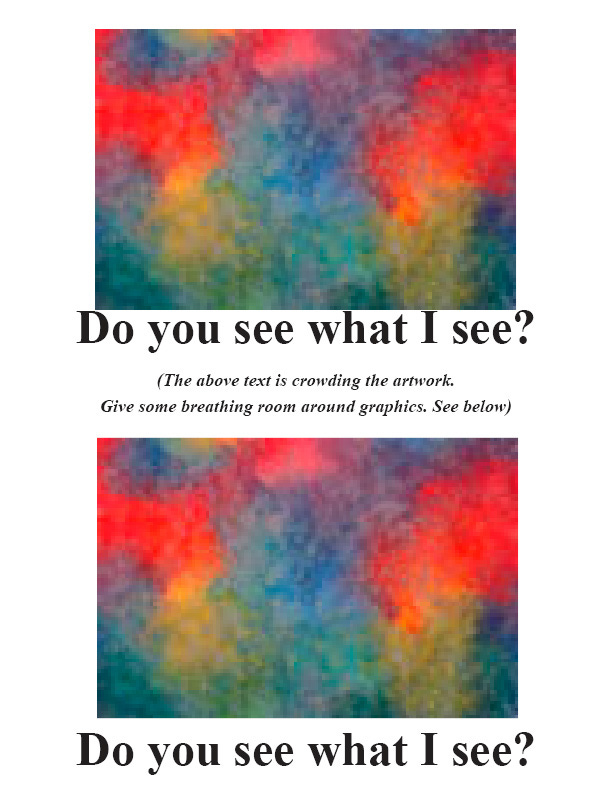
Negative space isn’t just empty space; it’s a vital design element that enhances clarity, elegance, and usability. By embracing negative space, you can transform your designs into clean, impactful compositions that stand out. Negative space doesn’t have to be white. Using colors can work if you’re mindful of placement.
Yes, sometimes less is truly more.
Visual Hierarchy
Visual hierarchy is the principle of arranging elements to show their order of importance. Readers notice larger elements such as text or photos more easily.
Clutter
Having too much content or too many photos will make your flyer look cluttered and less visually appealing. A cluttered design can actually prevent people from reading it. Stick to the main facts, and if you want to give people the opportunity to find out more, provide a web link or QR code. Bullet points can also help when there’s lots of information required.
ALWAYS check for Who, What, When, Where & Why. Yes, always!
There’s nothing worse than realizing there’s those darn typos after the flyer is printed, or you forgot to add the contact information.
Did you include the WHO? The WHAT? The WHEN? The WHERE? And of course, the WHY? Tip: Think of the WHY before you even start designing.
Include a Call-to-Action
Tell readers exactly what to do next. Be clear HOW you want them to interact with you by including important details about your business, like your website, contact info, location and more.
Free Online Tools
If you’re not an experienced graphic designer, check out Canva.com and PosterMyWall.com. Both have free versions and even have apps for your device.
If you need a wide range of design capabilities for various projects, Canva is a great option. If you're primarily focused on marketing materials and need features like social media scheduling and email integration, PosterMyWall might be a better fit.
Have some fun experimenting with online tools and remember the: